 flyspace
Automations
Automations run the agent without anyone typing. There are two places to manage them:
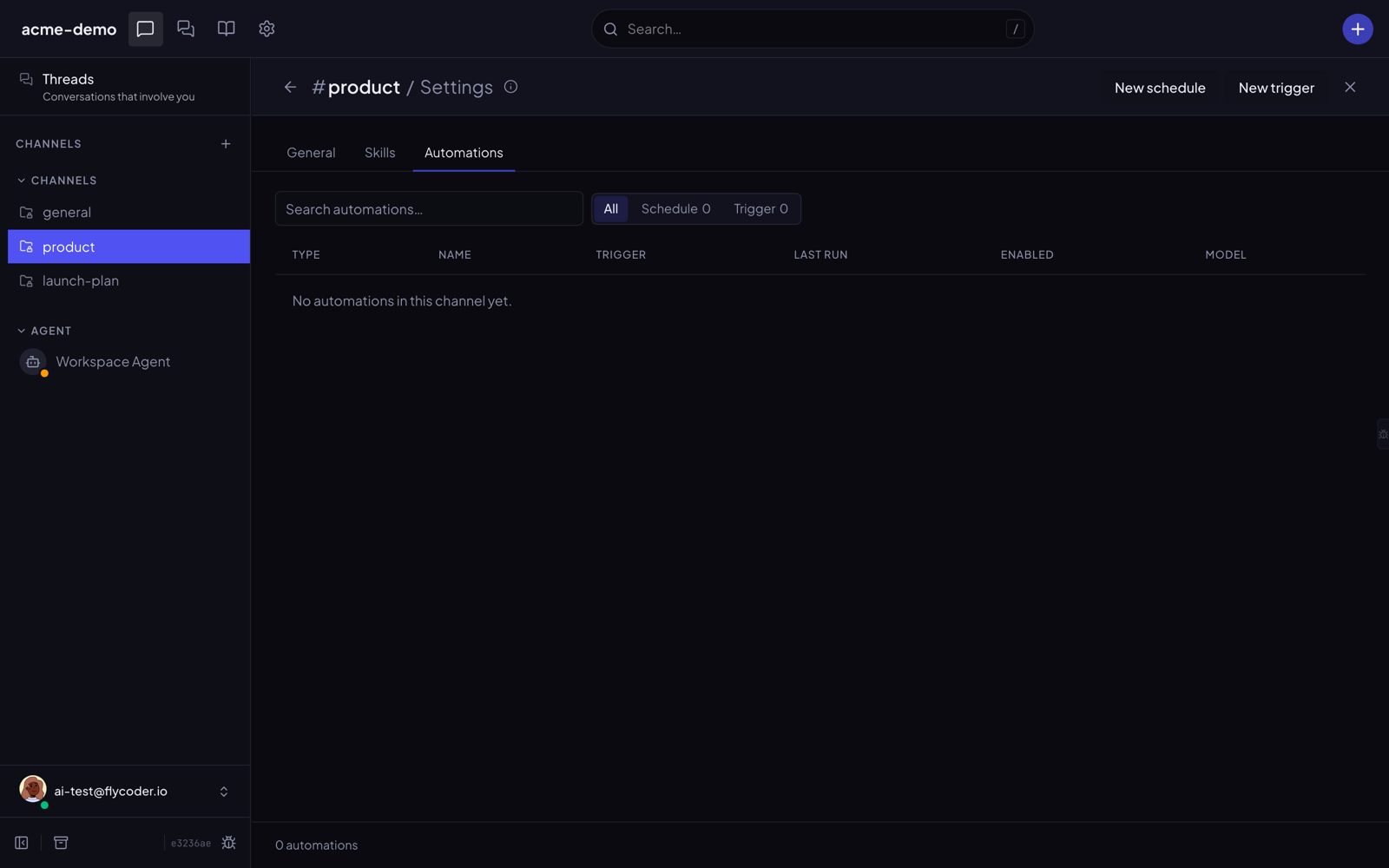
- Channel automations: open a channel, click the gear icon, then the Automations tab. Use New schedule or New trigger.
- Workspace automations: Settings then Automations, with New trigger and New mention trigger.
Create a schedule
- In the channel’s Automations tab, click New schedule.
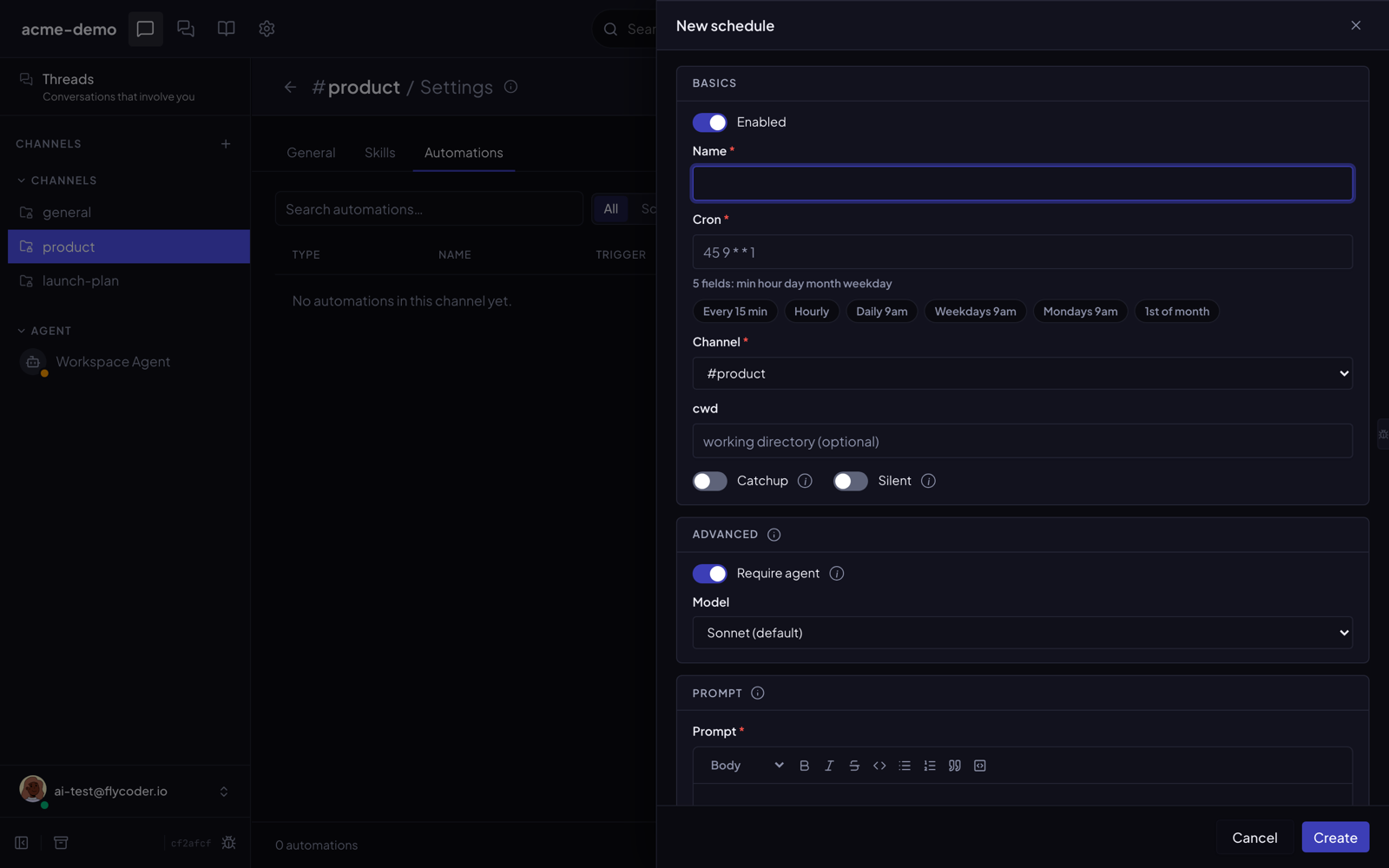
- Give it a Name.
- Set Cron (five fields: minute, hour, day, month, weekday), or pick a preset such as Daily 9am or Mondays 9am.
- Check the Channel, and write the Prompt the agent should run.
- Click Create.
Options:
- Catchup: if the agent was offline at the scheduled time, run once on startup to make up the most recent missed run.
- Silent: don’t post the result to the channel automatically. Use this when the prompt handles its own output.
- Require agent and Model: under Advanced.
The automations table shows each automation’s trigger, last run and whether it is enabled. TODO: document trigger and mention trigger fields.