 flyspace
Docs pane
The docs pane shows the Markdown documents in the channel’s folder, so notes and specs live next to the conversation instead of in a separate tool.
Open the docs pane
Click the book icon in the channel header. Pick a file to read it on the right side.
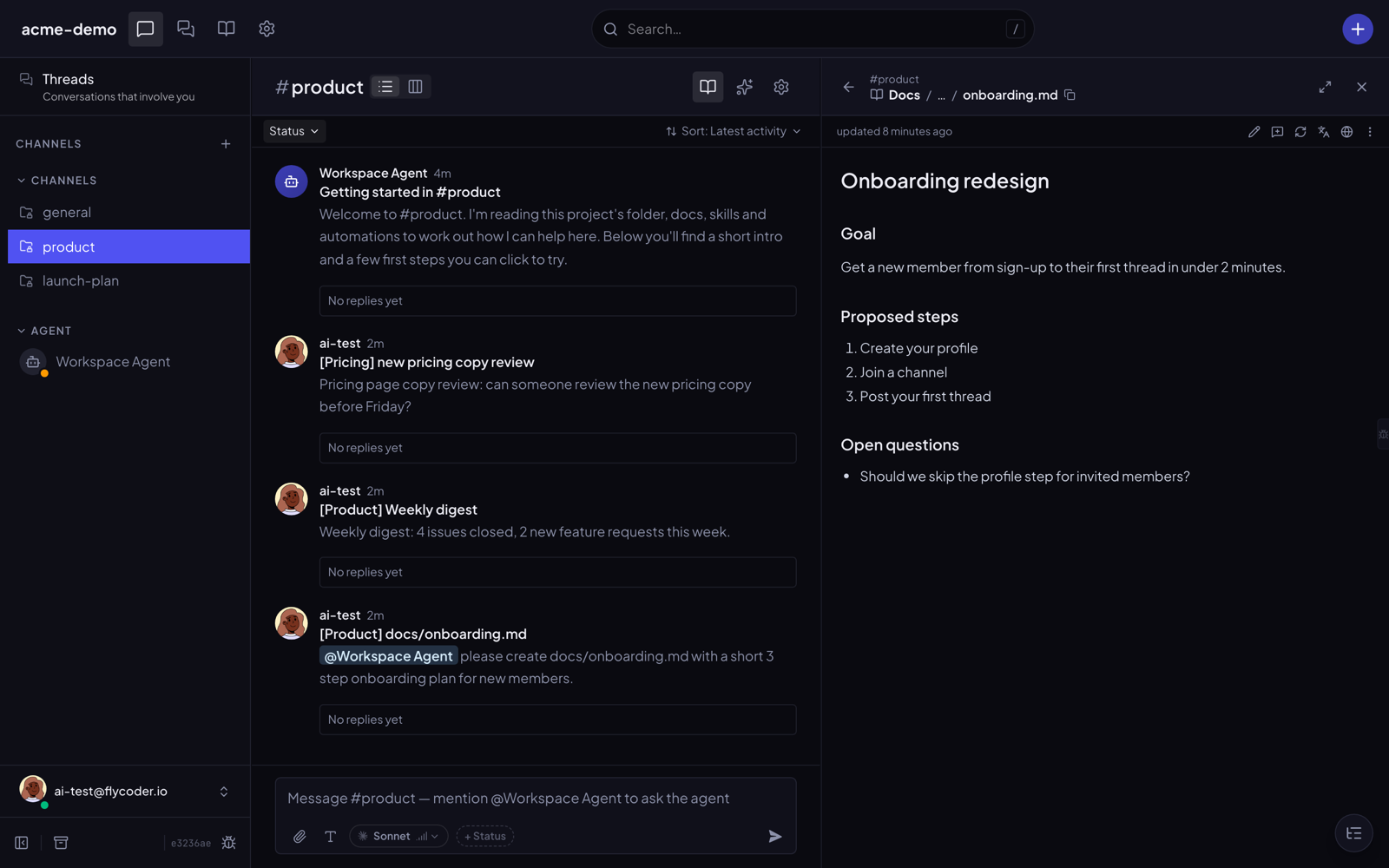
The toolbar above an open document lets you edit it, chat about it in a thread, reload it, translate or listen to it, and publish it. More actions has the rest, such as rename and download. The same per-document actions are in each file’s menu in the file list.
From the file list you can also create a new doc or folder and upload files into the channel folder.
Share a doc publicly
Publish a doc to get a public link, then use Copy public link. The book icon in the top bar opens Shared docs, which lists every doc in the workspace that is published as a public link.
Docs and the agent
Ask the agent to write or update a doc (for example “@agent update docs/onboarding.md with the new steps”). The docs pane picks up the change. You can also mention a document from the @ menu.