 flyspace
Threads and topic status
Every message you post in a channel starts a thread (a topic). Replies stay inside it.
Start a thread
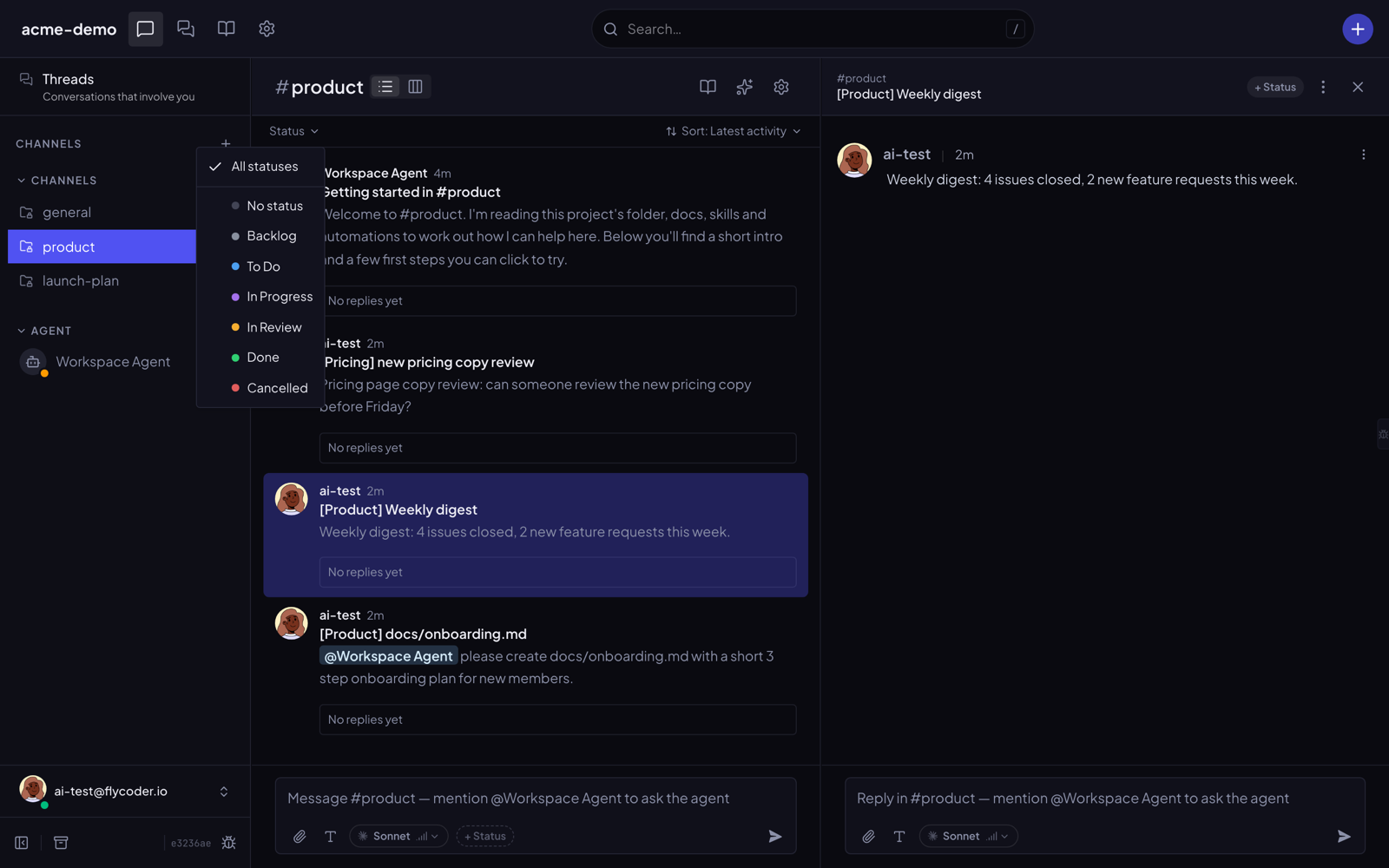
Type in the box at the bottom of the channel and press Enter. Flyspace gives the thread a short title automatically, using the channel’s Auto Topic categories as a prefix, for example [Product] Weekly digest.
Click a thread to open it on the right and reply there.
Set a status
Topics can carry a status: Backlog, To Do, In Progress, In Review, Done or Cancelled.
- When starting a topic, use + Status in the composer. Flyspace remembers your last pick in that channel.
- On an existing thread, use + Status in the thread header, or on the thread’s row when you hover it.
Filter and sort
Use Status at the top of the channel to show only some statuses, and Sort to change the order (for example, latest activity).
Board view
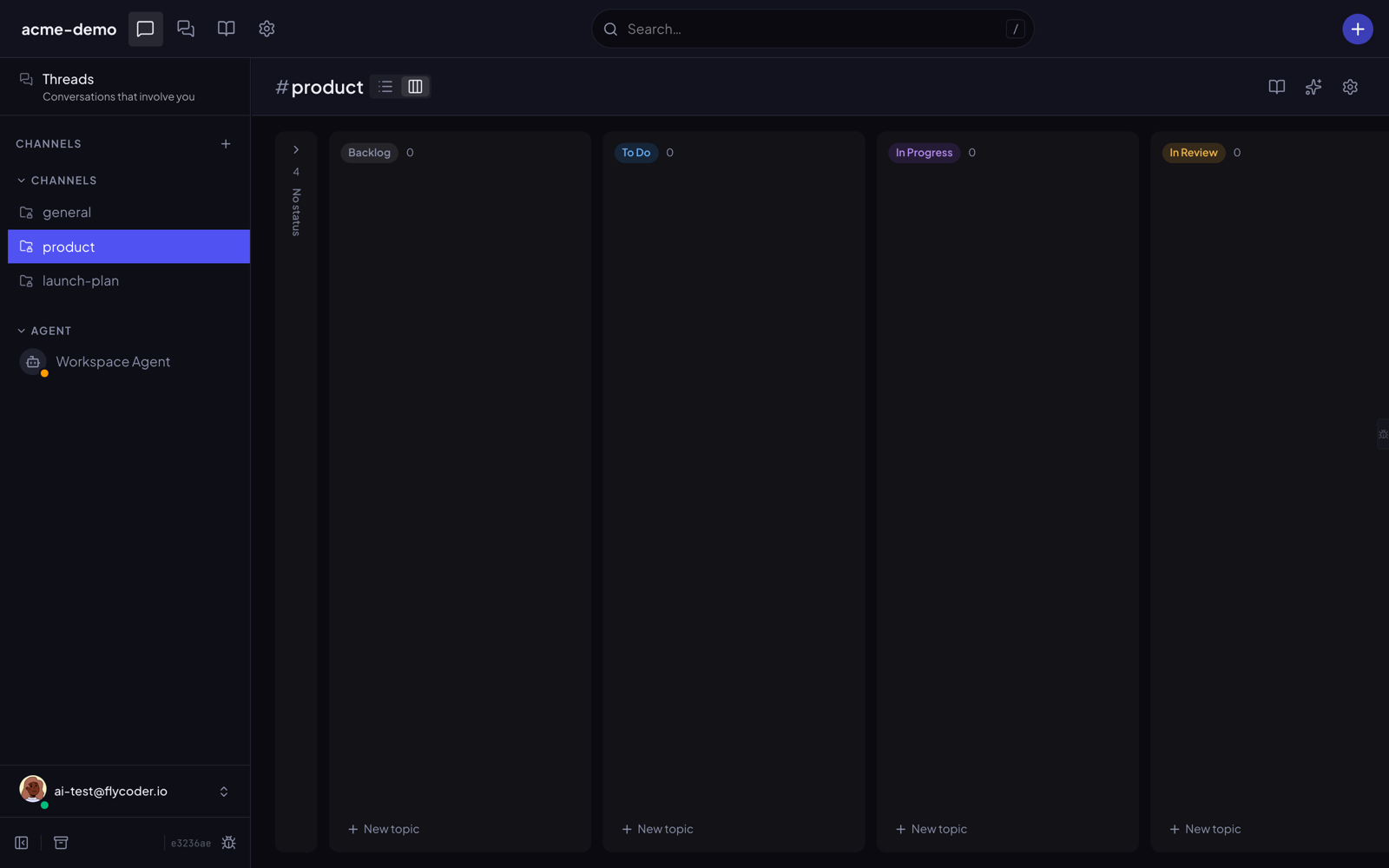
Switch between the list and the board with the two icons next to the channel name. The board shows one column per status, and New topic at the bottom of a column starts a thread with that status.
Threads at the top of the sidebar lists the conversations that involve you across channels.