 flyspace
Channels
Every channel is two things at once: a place to talk, and a project folder on your Host. The agent works inside that folder when you mention it in the channel, and the channel’s docs live there too.
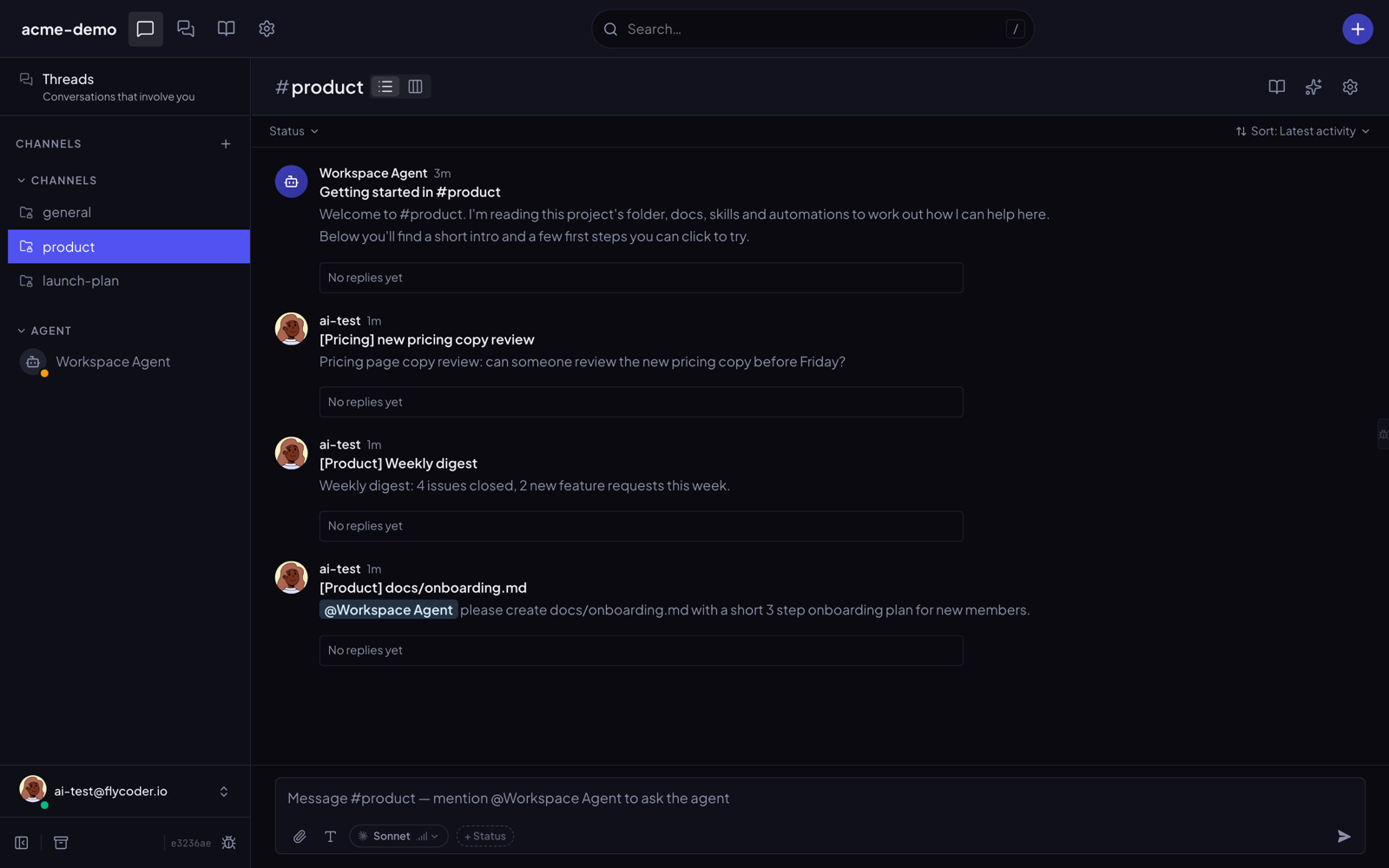
Create a channel
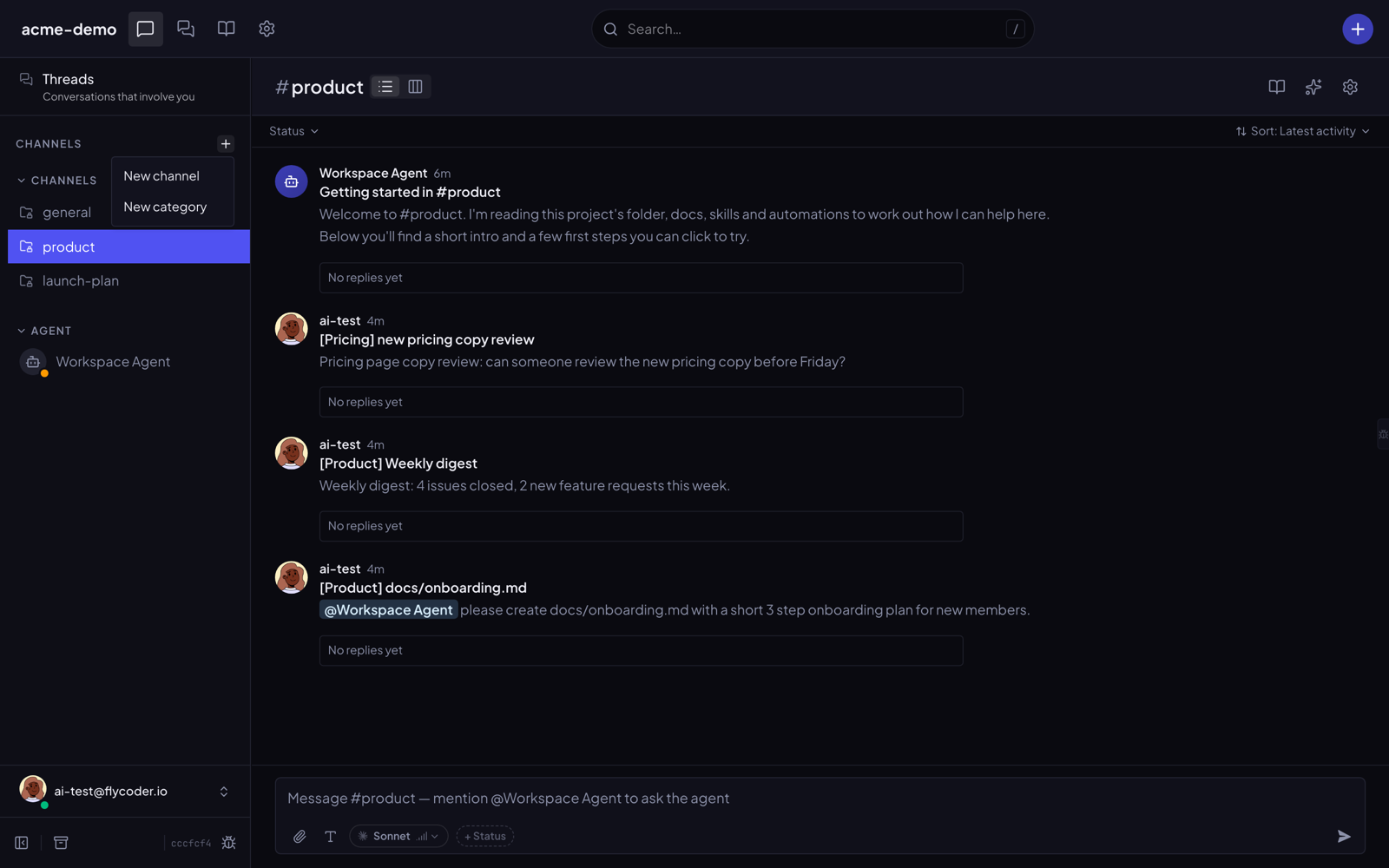
- Click + next to Channels in the sidebar.
- Choose New channel. (New category groups channels in the sidebar.)
- Pick the folder on your Host the channel should use, give it a name, and save.
Channel settings
Open a channel and click the gear icon in the channel header. Settings has three tabs:
- General: the model and effort the agent uses here, the channel Prompt (who the agent is in this channel and how it talks), Auto Topic categories for thread titles, and access.
- Skills: skills available to the agent in this channel.
- Automations: schedules and triggers for this channel (see Automations).
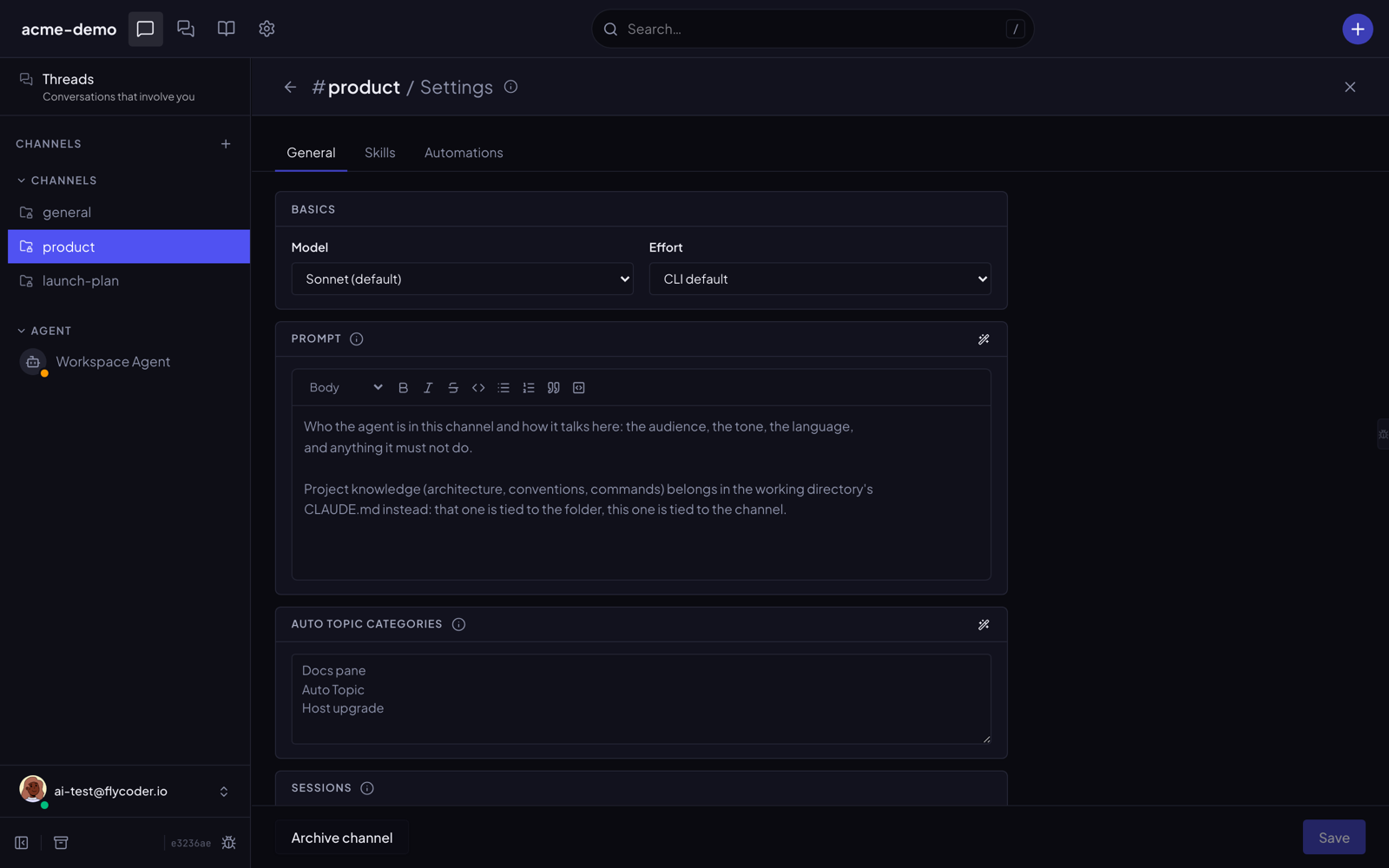
Project knowledge such as architecture or commands belongs in the folder’s own CLAUDE.md. The channel prompt is for tone and audience.
Public and private channels
A channel is either public or Private (invited members only). Private channels are hidden from everyone except admins and the members you add.
Archive a channel
Use Archive channel at the bottom of channel settings. Archived channels appear under the archive icon at the bottom of the sidebar.
TODO: chat and discussion channel types (a per-channel type with titles and review before publish) are planned but not available yet.